 Niks Office
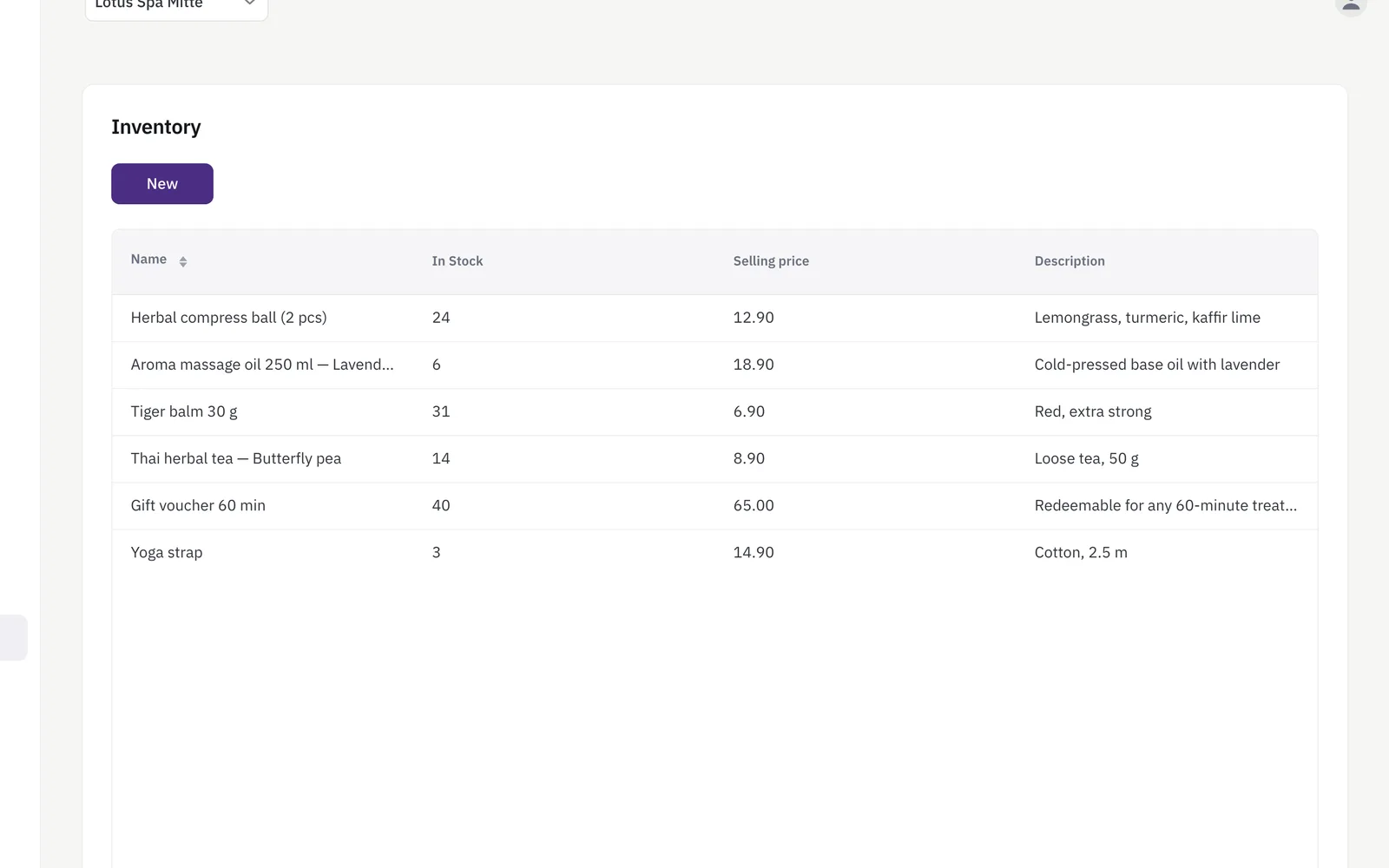
Inventory and product sales for salons means the shelf and the till-side sale are the same record. Every item carries a name, a purchase price, a selling price, how many you have, the level at which you want to be warned and, where it matters, an expiry date — and it belongs to one location, so each shop counts its own shelf. A sale combines as many items as you like, each line with its quantity and its price, and it is always recorded on a customer. Saving it takes the quantities off stock. Inventory and sales recording are included from the Pro plan.
How it works
- Every item has a purchase price and a selling price, so margins are visible from the start.
- Set a low-stock threshold once; the inventory screen warns you as soon as a product hits it, and the warning is waiting on your dashboard at sign-in.
- A sale can combine several items at once — the total is calculated automatically as you add them.
- Every sale is recorded, with a full history and detail view you can look back on.
What you get
- Purchase & selling price per item
- Low-stock threshold with an in-app warning
- Expiry dates on every item, and expiring stock in the statistics (Business plan)
- Multi-item checkout with automatic totals
- Full sales history
Who it's for
- A salon with a retail shelf: shampoo and styling products are sold at the chair, recorded on the customer, and the stock count follows by itself.
- A studio that buys consumables in bulk: the purchase price next to the selling price makes the margin on each item visible before you order again.
- A business with creams and oils that go off: an expiry date on the item puts the stock that is about to pass its date into the statistics.
- A business with two shops: stock is kept per location, and a sale can only take goods off the shelf of the shop it was made in.
An example from everyday use
A hair salon adds a shampoo: purchase price, selling price, twelve bottles in stock, warn me at three. A client buys a bottle and a styling cream after her appointment — staff put both lines on one sale, pick her from the customer list, override the price of the cream because it is on offer, and save. Both products come off stock immediately, and the sale is in the sales history with its own detail view. Weeks later the shampoo drops to three bottles: the inventory screen lists it as something to re-order, and at the next sign-in the app opens on inventory while anything is at or below its level. Revenue from both products shows up in the statistics alongside the services.
Expiry dates are there for products that actually expire — creams, oils, consumables — and expiring stock shows up in the statistics. Leave the field blank for anything that doesn't.
Frequently asked
How does the low-stock warning work?
Each item carries the level you want to be warned at. The inventory screen then lists everything at or below it as a shopping list for that location, and while something is waiting there the application opens on inventory at your next sign-in instead of the dashboard.
Can I put several products on one sale?
Yes. A sale holds as many lines as you need, each with its own quantity and price, and the total adds itself up as you add them. You record the sale against a customer, can override a line's price for an offer, and saving takes every quantity off that location's stock.
Can I see which products are not selling?
Yes, in the statistics: stocked items with no sale at all in the chosen period, valued at what you paid for them, and items whose stock is at or near its expiry date. Those two views belong to the advanced statistics, which are part of the Business plan.