For beauty & nail studios

Every client, every treatment — remembered

Colours, sensitivities, favourite treatments: your regulars expect you to remember. Niks Office keeps the full history on every client profile, turns paper punch cards into digital packages, and fills your book online.

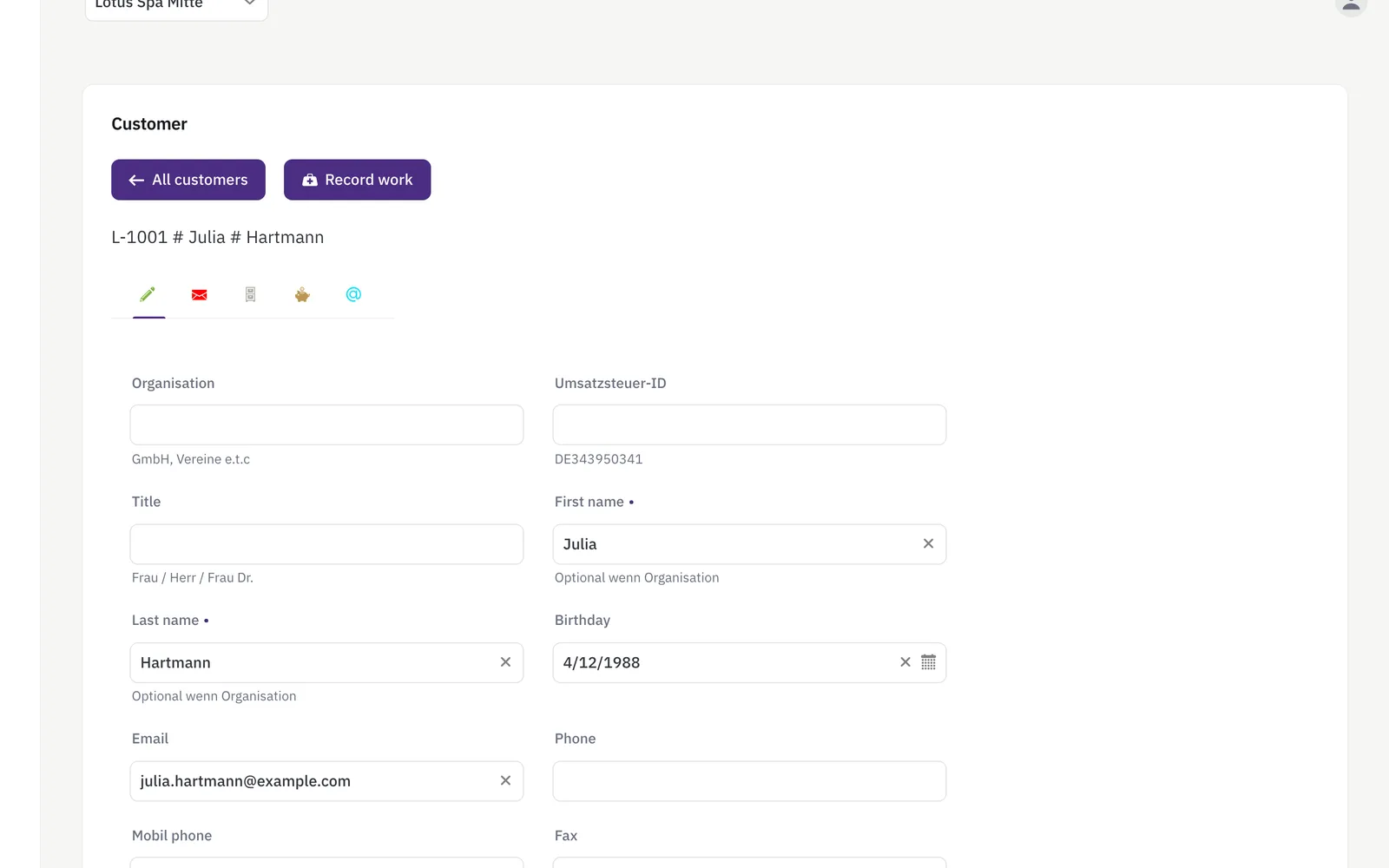
Client list with search beside an open client record: contact data, treatment notes and visit history
One record per client — colours used, notes, history.

Sounds familiar?

The client card is in your head

Which gel colour, which skin sensitivity, which treatment last time? On paper cards — or nowhere.

Punch cards get lost

The 10-session card lives in the client's wallet, and nobody knows how many sessions are left.

Dry times wreck the schedule

Treatments with waiting time in between are hard to plan tightly — gaps or overlaps everywhere.

What Niks Office does for your studio

A complete profile for every client

Treatment history, notes on colours and sensitivities, preferences — everything on the client profile, visible before she's even in the door.

More about the CRM →

Digital packages instead of punch cards

Sell a package once; its remaining value counts down automatically each time a treatment is recorded against it — no stamps, no arguments.

More about packages →

Booking with built-in buffer times

Give each treatment its duration plus buffer before and after — dry and prep times land in the calendar automatically. With online booking from Pro, clients book themselves, with your approval first if you want it. Ask for the technique once and the same treatment carries its own duration and price per answer, so a volume set never gets the slot of a classic one.

More about booking →

Mask on, hands free

A mask or a peeling works for fifteen to thirty minutes without anybody holding it. The treatment can carry a gap of exactly that length: you count as free for those minutes while the cabin and the couch stay booked for your client. The calendar offers that time for the next appointment — it does not fill it in by itself.

More about booking →

Care products: sales recorded

Record every product sale on the client and keep stock levels in check — with an in-app warning before your bestseller runs out.

More about inventory →

Your page, your link, your bookings

A public page with pictures of your treatments, your services and prices — share the link on Instagram or Facebook, and with online booking customers book straight from it. Edit it any time.

More about your business page →

Skin type and lash technique, without asking twice

Add “skin type” and “lash technique” as choice fields on the customer record — every treatment starts with the right product and the right method.

More about custom fields →

Set up before you start — and yours to change

Pick “beauty salon” in the setup wizard and Niks Office creates a typical studio for you, once: basic facial 60 and classic facial with extraction 90, manicure 45 and with gel 75, pedicure 60, brow tint & shape 20, lash lift 60, lash extensions as a new set 120 and manicure and pedicure at the same time 60, which binds two nail technicians — nine treatments with duration, time after and price, four of them with a gap for the minutes in which a mask, tint or lifting lotion works on its own; the customer fields skin type and notes, voluntary and with no health questions; the fields products used and polish colour on the recorded service, prefilled next time; the resource types treatment room for your cabin and chair for the nail desk; and the roles beautician and nail technician. The prices are examples worked out from your currency, so you can book your first appointment the same afternoon and then make all of it your own — rename it, reprice it, switch off what you do not need, add what is missing. Nothing in it is locked.

Up and running in an afternoon

  1. Register for free, confirm your e-mail address and create your studio.
  2. Pick “beauty salon” in the setup wizard — the treatments with duration, processing gap and price are already there; add your team with their calendars.
  3. Share your booking link — with online booking (from Pro) clients book themselves and see their history in the client portal.
Pricing

Starter for solo artists, Pro for studios with a team, Business for advanced reporting — all with a free trial. See pricing →

Questions from studio owners

Can I store notes like gel colour or skin sensitivities?

Yes — free-form notes and the full treatment history live on each client profile, visible to your team at every booking.

How do digital packages work?

You sell a package once; every treatment you record against it debits its remaining value automatically, and your team always sees the value still left.

Can treatments have waiting or dry times?

Yes, in two places. Every service carries a buffer before and after it, so preparing and cleaning up are planned in. And a treatment can carry a gap inside it, for the fifteen to thirty minutes a mask or a peeling works on its own: you count as free for those minutes, the cabin stays booked for your client, and the calendar can offer the time for the next appointment.

Can my clients see their own history?

Yes — in the customer portal clients see their treatments and appointments, in their own language.

Where do I note the skin type?

On the customer record, in a custom field you define yourself — as a choice such as normal, dry, oily, combination, sensitive.

Do I have to set all of this up myself?

No. Choosing “beauty salon” in the setup wizard creates a typical studio once — the nine treatments with duration and price, four of them with a processing gap and one — manicure and pedicure at the same time — needing two nail technicians; the customer fields skin type and notes; the fields products used and polish colour on the recorded service; the resource types treatment room and chair and the roles beautician and nail technician — so you can take your first booking straight away. It is a starting point, not a template you are stuck with: rename, reprice, switch off and add whatever you like afterwards. The prices in particular are examples derived from your currency and want your own numbers. You still enter your actual cabins and nail desks yourself, because only you know how many you have.

Can two of us do a manicure and a pedicure on one client at the same time?

Yes, from Pro, together with resources. The beauty template already brings “Manicure and pedicure at the same time” with a staff count of two — set it on any other service too — and the calendar offers a time only when two technicians are free at once — their working hours, other appointments and gaps all count. The client sits down once and leaves an hour earlier; the appointment shows both colleagues, the revenue counts once, and the commission base is shared between the two unless you switch that off. All the details: Team appointments.

Typical days in a studio

Nail studio · 2 chairs · regulars

The gel colour is in the file, not your memory

Which shade, which base, which skin sensitivity — that used to live on a paper card or nowhere at all. Each client now has one record with notes and the full treatment history, so the colleague on the late shift knows exactly what was used last time.

Beauty studio · 10-session cards

The package keeps its own balance

Session cards disappeared into handbags and nobody knew what was left. A package is now assigned once in the system, its remaining value drops with every treatment recorded against it, and the team sees what is left while the treatment is being saved.

Lash studio · treatments with dry time

Waiting time stops eating the day

Treatments with a waiting phase never fitted the paper diary — gaps in the morning, overlaps at four. Every service now carries its own duration, so the calendar blocks exactly the time the treatment needs and the next client is booked after it instead of into it.

Ready to know every client by heart?