What Niks Office does for your salon
Realistic slots per service
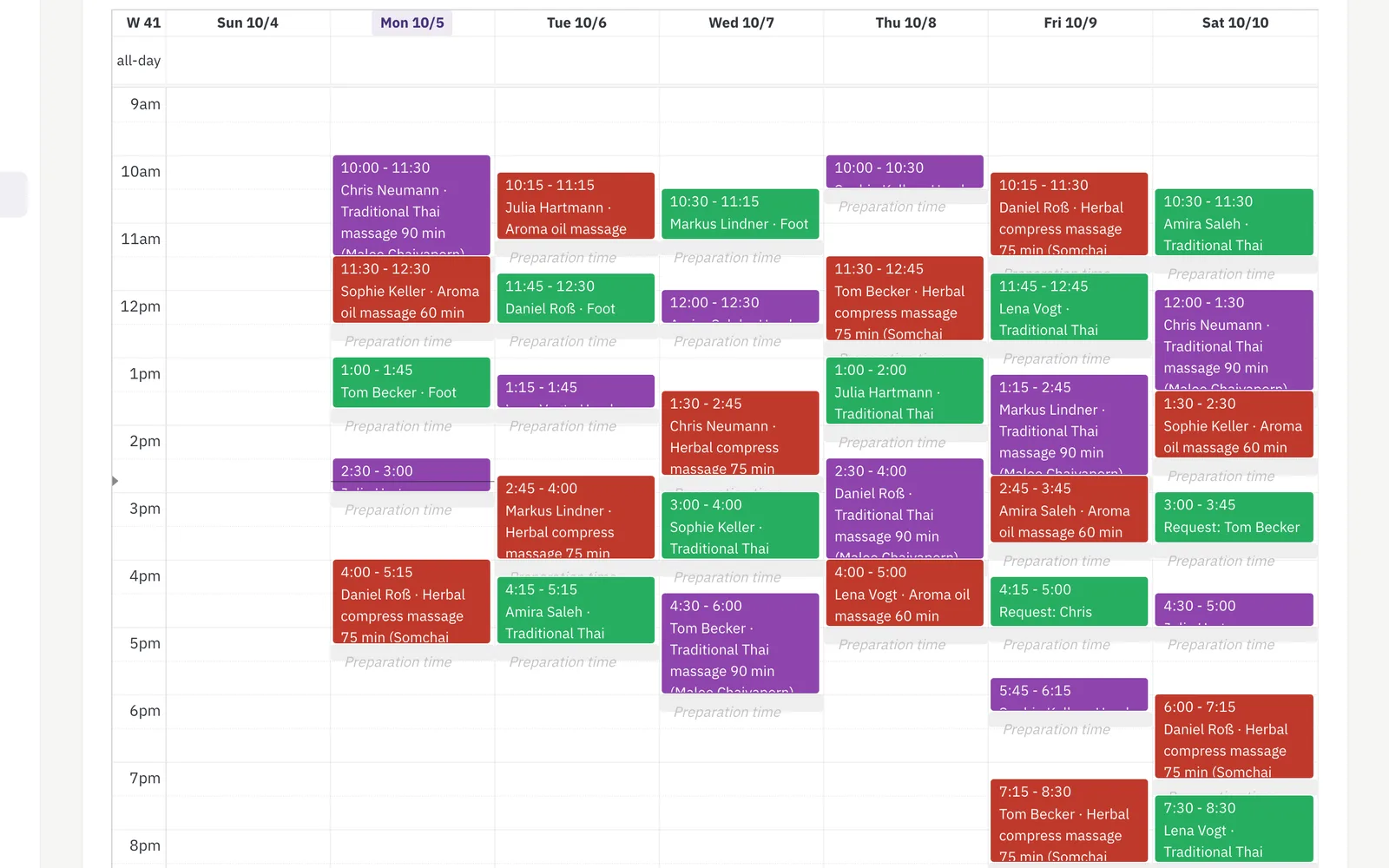
Give every service its real duration plus buffer for brushing out and cleaning up — bath, full groom and nail trim each block the time they truly need. With online booking from Pro, owners book themselves, with your approval first if you want it. One full groom is enough: give it a duration and a price per size class, and the dog's own size picks the right one — the booking page shows “from” the smallest price until the dog is known.
More about booking →The drying box works, the groomer does not wait
A dog in the drying box needs the box, not you. Set a gap on the bath-and-dry service and the calendar counts you as free for those minutes, while the box stays booked for that dog — you are already brushing out the next one. What goes into the time is your call; the calendar only offers it.
More about booking →Set up before you start — and yours to change
Pick “dog grooming” in the setup wizard and Niks Office creates a typical salon for you, once: a full groom with a duration and a price per size class plus bath and blow-dry, nails and ears, puppy habituation and two matting surcharges; the dog fields for breed, coat, weight, date of birth, vet, rabies, behaviour and a health note; the fields for a recorded service; the resource types table, bath and drying box; and the roles groomer and junior. The prices are examples worked out from your currency, so you can book your first appointment the same afternoon and then make all of it your own — rename it, reprice it, switch off what you do not need, add what is missing. Nothing in it is locked.
A profile for every dog, not just every owner
One household, several dogs: each one its own record with name, photo and size class, and its own visit history. Breed, coat and quirks are fields you define yourself, so the profile asks what your salon actually wants to know. Any colleague can pick up the leash.
More about the CRM →The grooming card from the last visit
Write down what you actually did — clipper length on body, head and legs, the shampoo used, the condition of the coat, the minutes it really took. Next time the form opens with the last visit already filled in, so a repeat groom starts from what was done, not from memory. Up to six before-and-after photos per visit from the Pro plan; the owner sees them in the customer portal.
Care packages that keep their balance
Sell a package of grooming visits once; its remaining value is debited automatically each time a visit is recorded against it, and the balance is always visible.
More about packages →Shampoo & brushes: sales recorded
Record every product sale on the customer and keep stock in view — with an in-app warning before the special-coat shampoo runs out.
More about inventory →Your page, your link, your bookings
A public page with before-and-after pictures, your services and prices — share the link on Instagram or Facebook, and with online booking customers book straight from it. Edit it any time.
More about your business page →Breed, coat, vaccination — on the dog
Add “breed” as a mandatory choice, “weight (kg)” as a number, “vaccination valid until” as a date and “handling note” as text — on the dog, where they belong, not on the owner. Flag one of them “show in calendar” and the warning rides along in the appointment title.
More about custom fields →Arrived, in grooming, ready for pickup
Today's appointments as a working list: mark a dog arrived, then in grooming, then ready for pickup — and that last step mails the owner once, with the after-photo when there is one. From the Pro plan. Nobody has to phone to ask whether the dog is done.
A waiting list that fills the gap
Note who would come at short notice, with the services they want and a period that suits them. When an appointment falls through, exactly one waiting entry — the oldest whose wishes fit — gets an invitation mail with a booking link. From the Pro plan. The list invites; the owner books.
Questions from groomers
Can different services have different durations?
Yes — every service gets its own duration plus buffer before and after, so a full groom blocks more time than a nail trim.
Can I take the next dog while one is drying?
Yes. Give the service a gap for the drying phase: it opens a set number of minutes after the appointment begins and runs as long as the dryer does. The drying box stays reserved for that dog the whole time, and your own calendar shows those minutes as free, so the slot can be offered for the next appointment. Keep a margin, so the box is not still full when its owner arrives.
Where do I keep notes about each dog?
On the dog itself. Every dog in a household is its own record with name, photo, size class and visit history, and the area “dog” in the field system is where you define what else you want to know — breed, coat, behaviour, a handling note. One of those fields can be flagged “show in calendar”, and then it rides along in the appointment title.
Do owners get a booking confirmation?
Yes — with booking notifications switched on, every confirmed booking triggers an e-mail confirmation to the owner.
Can I sell packages of visits?
Yes — sell a package once; each visit you record against it debits its remaining value, and the balance stays visible.
Can I store breed and weight?
Yes, as fields on the dog: breed as a choice from your own list, weight as a number, plus a vaccination date and a handling note. A grooming salon gets a set of them ready-made when it finishes the setup wizard, and edits them afterwards like any other field.
I groom two dogs from the same household — one appointment or two?
Two. An appointment carries one dog, so the second dog is booked as its own appointment, with its own duration and price. Both dogs live under the same owner, so the history and the packages stay together.
Do I have to set all of this up myself?
No. Choosing “dog grooming” in the setup wizard creates a typical salon once — the services with a price and duration per size class, the dog fields, the fields for a recorded service, the resource types and the roles — so you can take your first booking straight away. It is a starting point, not a template you are stuck with: rename, reprice, switch off and add whatever you like afterwards. The prices in particular are examples derived from your currency and want your own numbers. You still enter your actual tables and baths yourself, because only you know how many you have.
A big or anxious dog needs a second pair of hands — can the calendar plan that?
Yes, from Pro, together with resources. Give the service — a full groom for a large dog, say — a staff count of two, and the calendar offers a time only when two groomers are free at the same time, with every working hour, blocked time, other appointment and drying gap of both counted. The appointment shows the lead groomer and the colleague holding the dog; the revenue counts once, and the commission base is shared between the two unless you switch that off. All the details: Team appointments.
 Niks Office