 Niks Office
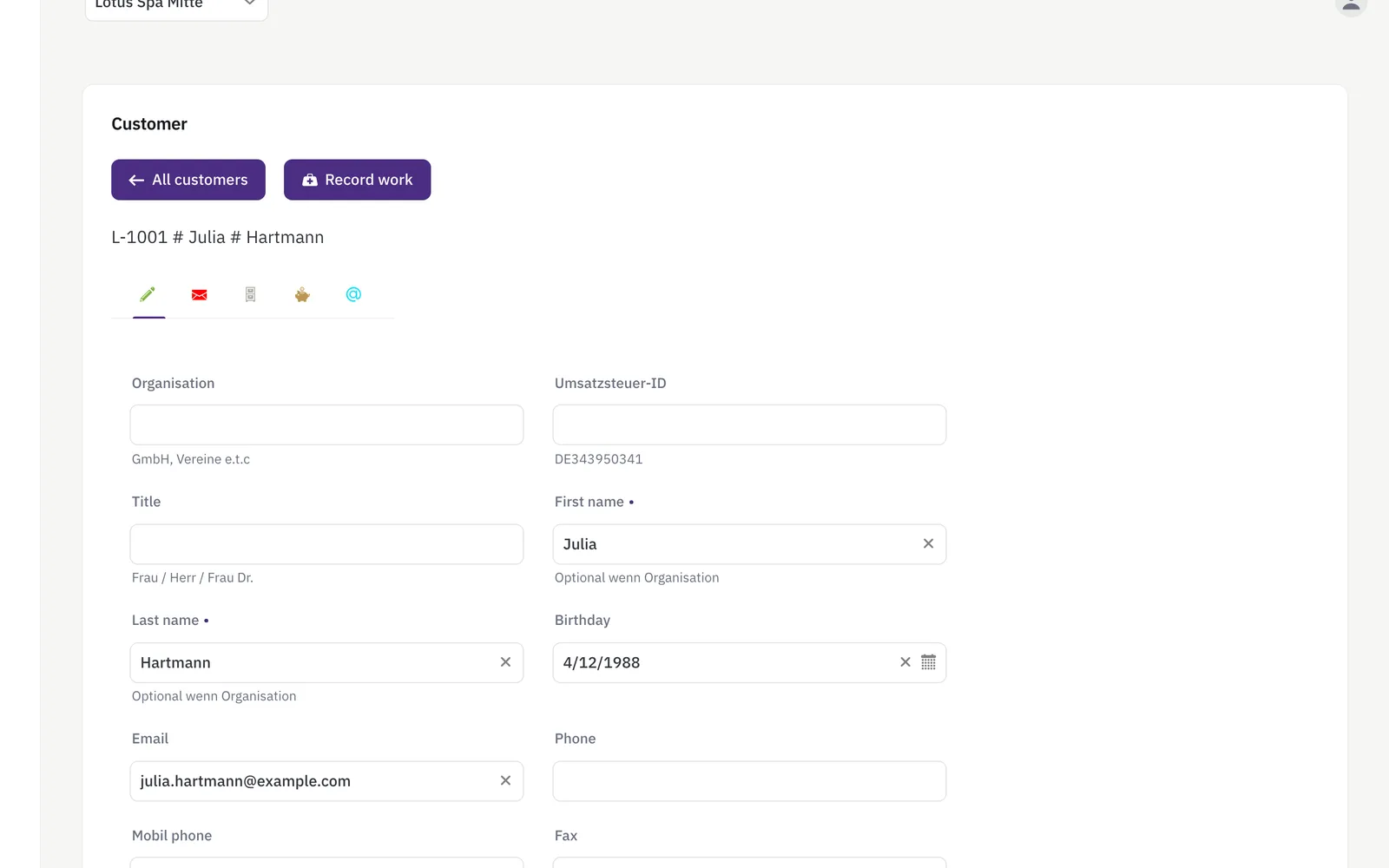
Customer records (CRM) for salons means one file per customer instead of a notebook, a phone contact list and a few sticky notes. Each record holds the name, customer number, organisation, phone and mobile number, e-mail address and birthday, as many addresses as the customer needs, and whatever extra fields your business invents for itself. Beside it sit the free-form notes your team writes, the packages the customer has bought with their remaining value, and the history of everything recorded for them. Any member of staff can find all of it from the search box in seconds, at any location.
How it works
- Every customer gets one record: name, contact details, and as many addresses as they need (billing, home, whatever your business uses).
- Search and filter the whole customer list by name, organisation, phone or mobile number.
- Add free-form notes to a customer at any time — a reminder, a preference, anything staff should know next visit.
- Every recorded treatment, sale and package appears on that customer's timeline, so the full history is one click away — notes sit on their own tab.
What you get
- Searchable customer directory
- Multiple addresses per customer
- Free-form customer notes
- Unified history (treatments, sales, packages)
- The colour formula on the recorded service: shown in the history, offered again when the next one is recorded
- Discounts tracked per customer
- Custom fields — add your own fields to the customer form, no code required
- Dog profiles for grooming salons: several dogs per owner, each with photo, size class and its own fields
- A rebooking mail when the interval has nearly passed and there is no next appointment — one per visit, with the service already chosen in the link
Who it's for
- A salon whose regulars expect to be remembered: the colour formula, the sensitivity, the preferred stylist are notes on the record, readable before the next appointment.
- A studio that has to ask about allergies: a custom field can be added to the customer form and marked mandatory, so nobody saves a record without it.
- A business that invoices companies: the organisation, the tax number and a separate billing address live on the same record as the private details.
- A team across two locations: the customer belongs to the business, so the colleague at the other shop opens the same file with the same history.
An example from everyday use
A beauty studio takes a new client over the phone: name, mobile number and e-mail go into the record, the billing address onto its own tab, and the custom field "skin sensitivities" is filled in because it is marked mandatory. After the first appointment the therapist records the treatment and notes which product was used. The next time anyone opens the record, the history tab lists that treatment with its date, the staff member and the price; the packages tab shows the prepaid block the client bought and how much of its value is left. Because the client has an e-mail address, the studio sends her a portal invitation from the record itself, and from then on she can see her own treatments and update her details.
Need to track something specific to your business — a membership number, an allergy, a preferred stylist? Custom fields let you add it to every customer record yourself, and mark it mandatory if it matters.
Frequently asked
Can I search the customer records by phone number?
Yes. The customer list filters by customer number, organisation, first name, last name, phone number and mobile number, in any combination, and the filter works from any location because customers belong to the business rather than to one branch.
What does a customer's history show?
Every treatment, product sale and prepaid package recorded for that customer, each with its date, the member of staff and the price, on one tab of the record. The notes your team writes have a tab of their own, so a colleague can read the colour formula or the allergy before the next visit.
Can customers update their own details?
Yes, once you send them an invitation to the customer portal from their record, which is included from the Pro plan. With an account of their own they sign in to correct their personal data, look back at their treatments and leave a review, in whichever of the eight languages they prefer.
Where does the colour formula go?
On the recorded service, as a field of your own — a text field “colour formula”, created once under customizing. It then appears with that colour in the customer's history, with the date and the stylist, where the next colleague looks for it, instead of on an index card or in one person's notebook. And when the next service is recorded for that customer, the last value is already filled in — as last time — and can be kept or overwritten. The software stores and shows what you write; mixing the colour stays your craft.