 Niks Office
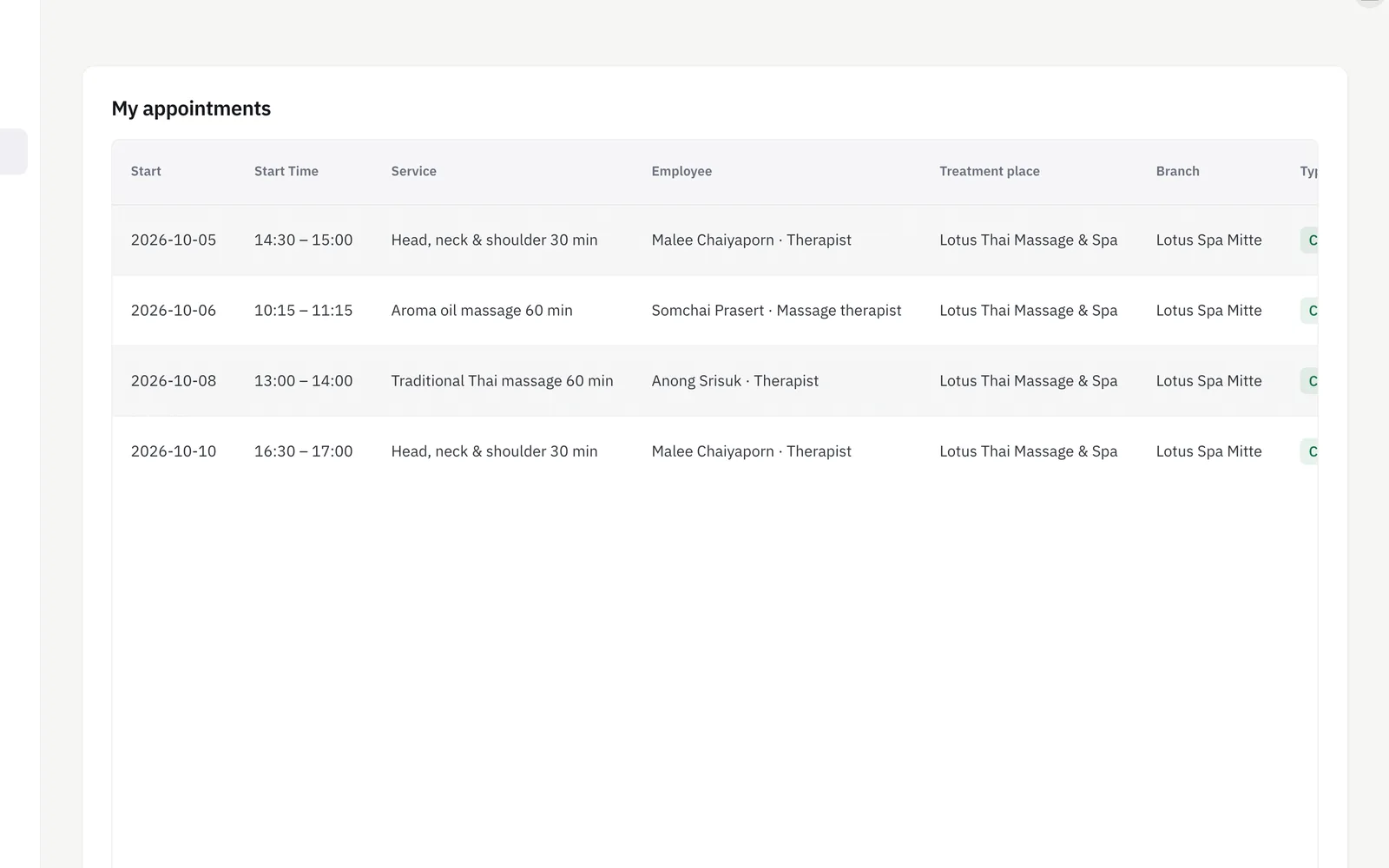
The customer portal in Niks Office is a private sign-in your customers use themselves, separate from every staff account. Once in, they see the visits you recorded for them, leave a review of one, check the appointments still ahead and cancel one if they have to, and keep their own contact details up to date — all in whichever of the eight languages they picked. A customer account can never see another customer's data, or anything from the business side. It is for shops whose front desk spends half the day answering “when was I in last?” and “can we move Thursday?”.
How it works
- Customers register their own account, separate from staff logins — never mixed up, never shared.
- Once signed in, they can see their treatment and visit history, update their personal details, and leave a review.
- Password resets are self-service too, so a forgotten password doesn't mean a phone call to the front desk.
- The whole portal speaks their language — whichever of the eight they've chosen.
What you get
- Private customer sign-in, separate from staff accounts
- Personal data customers can view and update themselves
- Treatment / visit history
- The photos of a visit, when the business takes them
- “My dogs” at a grooming salon: the owner adds a dog, corrects its name or size and uploads its photo
- Reviews, straight from the customer
- Self-service password reset
Who it's for
- A clinic whose phone rings all morning with people asking when their next appointment is.
- A salon that wants reviews from the people who actually sat in the chair, not only from passers-by online.
- A studio with international regulars who would rather read and write in their own language than phone.
- A practice tired of retyping new phone numbers and addresses left on the answering machine.
An example from everyday use
A physiotherapy practice records a treatment on Tuesday afternoon. A couple of hours after the visit, the patient gets a single e-mail asking for a review — one per visit, not one per treatment recorded — with a link into the portal. He signs in, scores the visit, and while he is there opens his appointments: the follow-up on Friday is listed with time, service, therapist and location. Something has come up, so he cancels it himself; the practice allows that up to its cancellation deadline, the slot is still outside it, and the therapist is informed by e-mail. He also corrects his mobile number on his own details screen, so nobody at the front desk has to type it.
This is entirely separate from the business's own admin login — a customer account can never see another customer's data, or anything from the business side.
Frequently asked
What can customers do in the Niks Office customer portal?
They see the visits your team recorded for them, leave a review of a visit, look at upcoming appointments and cancel one up to your cancellation deadline, update their own personal details, reset their password themselves, and choose the language the portal and their e-mails use.
Can customers book an appointment in the customer portal?
Yes, where online booking is switched on — it comes with the Pro plan, and at least one employee has to be bookable online with working hours set. The portal then offers the same free slots as your public booking page, to someone already signed in, so nothing has to be typed twice.
Where do the reviews in the customer portal come from?
From the visit itself. With review requests switched on, a customer who has a portal account gets one e-mail a couple of hours after their visit, with a link straight into the portal. They sign in, score the visit and can leave a comment — so a review always comes from someone who was there.