 Niks Office
The business
“Stillwater Spa” · massage practice with four cabins
- 4 cabins: 1 double cabin, 1 with stone heater
- 5 therapists
- Regulars with their own therapist
- Vouchers and packages
Typical problems
Couple's massage in cabin 1
The couples massage needs the double cabin and two therapists. On paper it ended up in the smallest cabin with a single name written next to it.
Hot stone without a heater
Only one cabin has the heater. The therapist then carried it across the house.
“How firm would you like it?”
Pressure, oil, complaints – every new therapist asked from scratch.
Regular or new guest
Regulars want their therapist, new guests the next free slot. Both over the same phone.
The setup
Services
| Service | Duration | After | Who may perform | Needs | Requirement |
|---|---|---|---|---|---|
| Classic massage 60 | 60 min | 15 min | Therapist | Cabin | — |
| Classic massage 90 | 90 min | 15 min | Therapist | Cabin | — |
| Oil massage 60 | 60 min | 15 min | Therapist | Cabin | — |
| Oil massage 90 | 90 min | 15 min | Therapist | Cabin | — |
| Hot stone 60 | 60 min | 15 min | Therapist | Cabin | Cabin: stone heater = yes |
| Hot stone 90 | 90 min | 15 min | Therapist | Cabin | Cabin: stone heater = yes |
| Back-neck-shoulder 30 | 30 min | 10 min | Therapist | Cabin | — |
| Foot reflexology 30 | 30 min | 10 min | Therapist | Cabin | — |
| Foot reflexology 45 | 45 min | 10 min | Therapist | Cabin | — |
| Four-hands massage 60 | 60 min | 15 min | Therapist | Cabin | 2 therapists at once – from the wizard |
| Couples massage 60 | 60 min | 15 min | Therapist | Double cabin – picked by reception on the couples appointment | One booking per guest, price per guest – from the wizard |
The time after is cleaning the cabin; it blocks therapist and cabin before the next guest comes. These eleven treatments are the ones the setup wizard creates for a massage practice; the amounts are examples worked out from the business's currency, meant to be replaced by its own prices. The yes/no field “Stone heater” on the cabin comes from the wizard as well, and so does the requirement that hot stone only runs where it is set. The four-hands massage needs two therapists at once, so the calendar offers it only when two are free. The couples massage is one booking per guest, priced per guest; the team holds the two together as a couples appointment and picks the double cabin on it. The resource type “Double cabin” comes from the wizard too — the spa enters its own cabin, and nothing is blocked until it does.
Team & roles
The wizard creates the roles “Therapist” and “Masseur”; this spa uses one, “Therapist”, for all five. Everyone bookable online, with photo. For the four-hands massage the calendar itself finds two therapists who are free at once; for the couples massage reception picks the second therapist on the couples appointment. All the details: Team appointments.
Resources
| Type | Instances | Choice field |
|---|---|---|
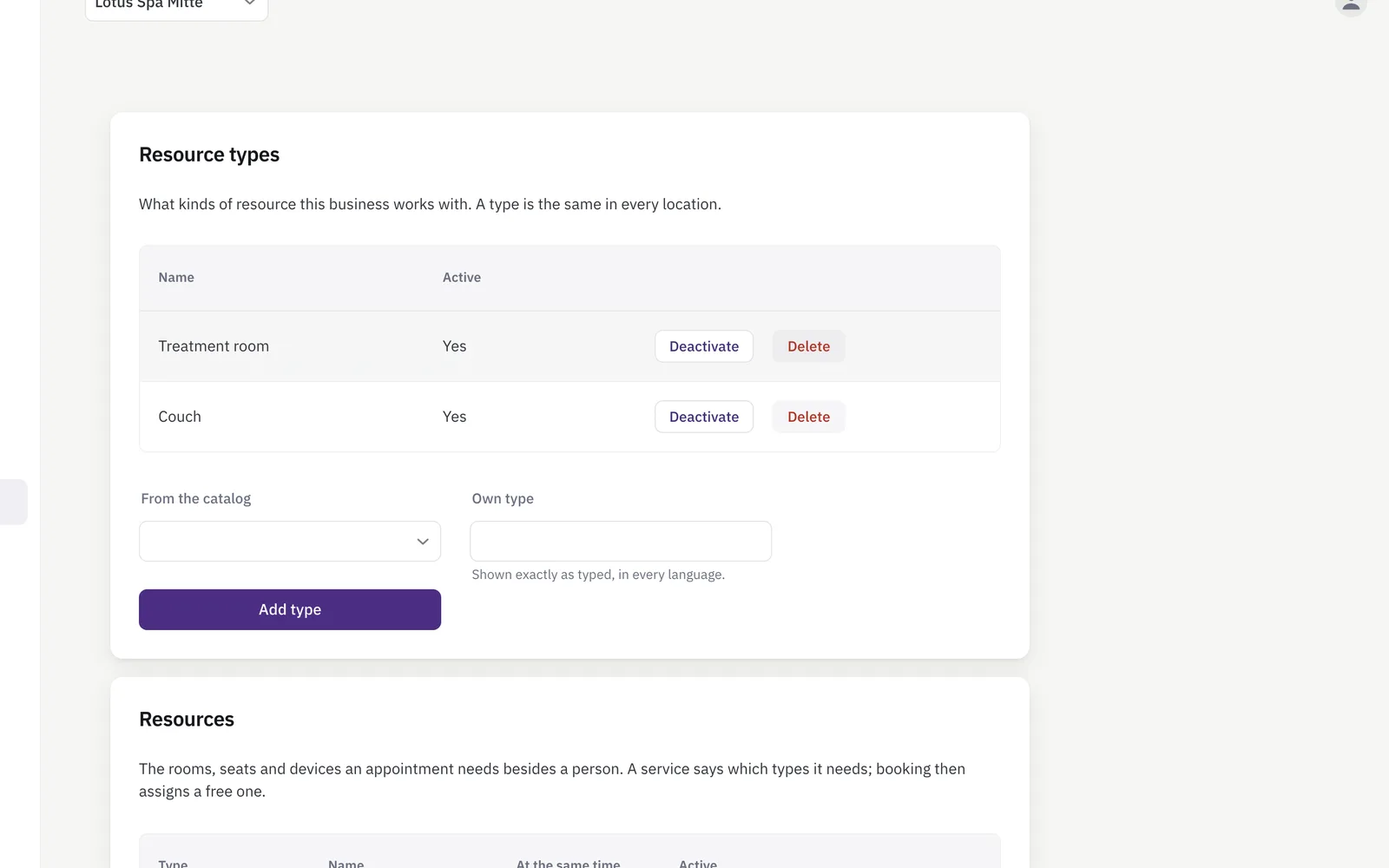
| Cabin (type from the wizard) | 3 | Stone heater (yes/no) – created by the wizard |
| Double cabin (type from the wizard) | 1 – the spa enters its own; nothing is blocked until it does | — |
| Chair area (type from the wizard) | none entered | — |
Custom fields
| Area | Field | Type | Mandatory | Visible to |
|---|---|---|---|---|
| Customer | Pressure | Choice: gentle, medium, firm | no | Customer answers online, prefilled next time |
| Customer | Favourite oil | Choice: lavender, lemongrass, neutral | no | Customer portal |
| Customer | Notes for the treatment | Text, 300 chars | no | Customer answers online – optional, purpose in the hint |
| Booking | Quiet or conversation (added by the spa itself) | Choice: rather quiet, happy to chat | no | Customer answers online |
Booking rules
- Approval off.
- Booking notifications on.
- Cancellation deadline in the customer portal: 12 hours.
How a booking goes
A couple calls for a couples massage; a regular books his hot stone online.
- Reception opens the booking form, picks “Couples massage 60” for the first guest and switches on “Second guest (couples appointment)”.
- Second guest, their own treatment choice and notes (“partner gentler please”), a second therapist, and the double cabin for the pair — both bookings share date, start and cabin.
- Save. Two bookings marked “couples appointment” in the calendar, each guest with their own notes and status; one reminder per e-mail address.
- The regular picks “Hot stone 90” online and his therapist: the list only shows times where she and the cabin with the stone heater are free.
- His pressure is already in the form – it was saved last time.
What the team sees
Calendar: “Hot stone 90 · Cabin 3 (stone heater) · Pressure: firm”. The customer record shows favourite oil and notes; the new colleague reads it before the treatment.
Frequently asked
How does the couples massage get two therapists and one cabin?
The team creates it as a couples appointment, in one step: in the booking form reception switches on “Second guest (couples appointment)”, adds the second guest with their own treatment and notes, picks a second therapist and the double cabin. Both bookings share date, start and cabin and are moved together; cancelling asks whether only this guest or both. The cabin is shared inside the pair but stays blocked for everyone else, and each guest keeps their own booking and status — a no-show of one is just that guest's. Guests cannot book a couples appointment online yet; they call, and the spa creates it. The four-hands massage is different: one guest, one booking, two therapists — and that one is bookable online. All the details: Couples appointments.
What if the stone heater in cabin 3 is already taken?
Then the booking does not show that time for hot stone – the requirement “stone heater = yes” allows no other cabin.
Aren't complaints sensitive?
Yes. That is why the field is optional, the hint states the purpose, and only the team sees it.
Can a guest change their pressure themselves?
In the customer portal under “My data”, if the field is opened for it – or simply the next time they book.
Is this setup something I build, or does it come ready?
Most of it comes ready. Finishing the setup wizard as a massage practice creates the eleven treatments — the four-hands massage with two therapists and the couples massage as one booking per guest among them —, the customer fields pressure, favourite oil and notes, the fields for a recorded service, the resource types cabin, double cabin and chair area with the yes/no field “Stone heater” on the cabin, and the roles therapist and masseur in one go. What you add yourself is how many cabins you actually have — four here, three single and the double cabin — and your own prices in place of the examples. “Quiet or conversation” this spa added on top. Everything the wizard made can be renamed, repriced or switched off; nothing is locked.